PLATFORM

Platform

From projects and data to task execution, service proxying and administration, VersaDesk Lite covers what a team needs every day with one consistent way of working.

01

HOW IT WORKS

How it works

Four steps from task definition to a running service

  1. 01

    Build a package and Runbook

    Describe the task step by step in YAML; the package wraps it into an interface with a parameter form, so users fill in the form and run.

  2. 02

    The dispatcher assigns the job

    Run the same Runbook on the Docker host or Kubernetes cluster chosen for the project.

  3. 03

    Containers run with allocated resources

    GPUs are assigned per project: dedicated, or pooled and shared (MPS / MIG); usage is recorded per project.

  4. 04

    Services are proxied to the desktop

    Running services are proxied by subdomain or port and appear as windows on the desktop; a share link gives other members access.

02

ARCHITECTURE

Four layers, each extended independently

Change one layer without affecting the others

  1. 01

    Project

    Resource layer

    Manage members, data files, permissions, results and GPU allocation in one place; every project is an isolated workspace.

  2. 02

    Package

    Packaging layer

    Wraps Runbooks into an easy-to-use interface with parameter forms, pages, import/export and .vdpkg packaging.

  3. 03

    Runbook

    Workflow layer

    Defines tasks as step-by-step YAML with parameter interpolation, data passing between steps and parallel services; it describes the task, never the environment.

  4. 04

    Dispatcher

    Infrastructure layer

    Connects the platform to the compute backend through modules; switch dispatchers to switch environments without modifying the platform.

Features in detail

The main features, one by one, on real screens

Projects and data

01

Projects and data

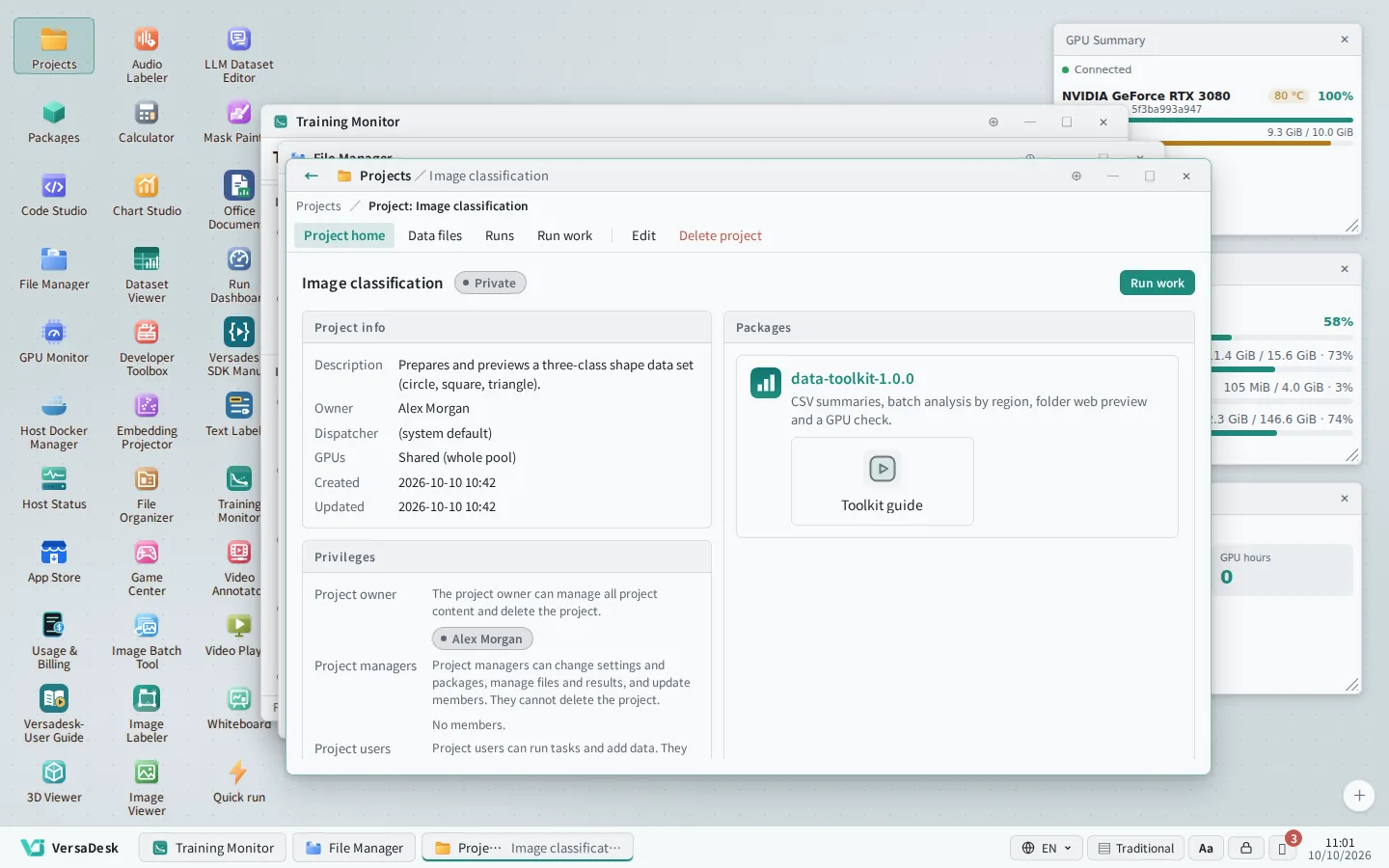
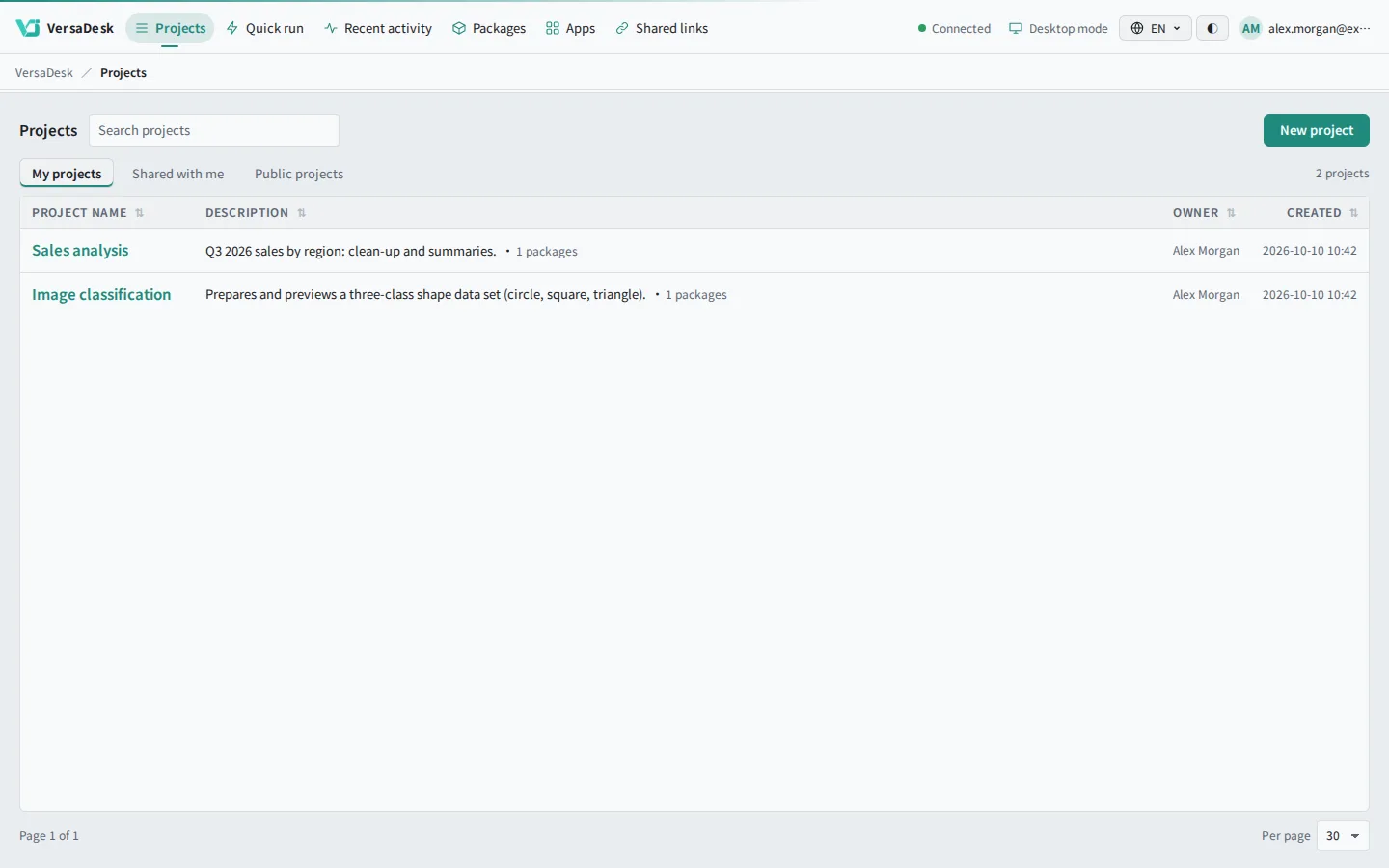
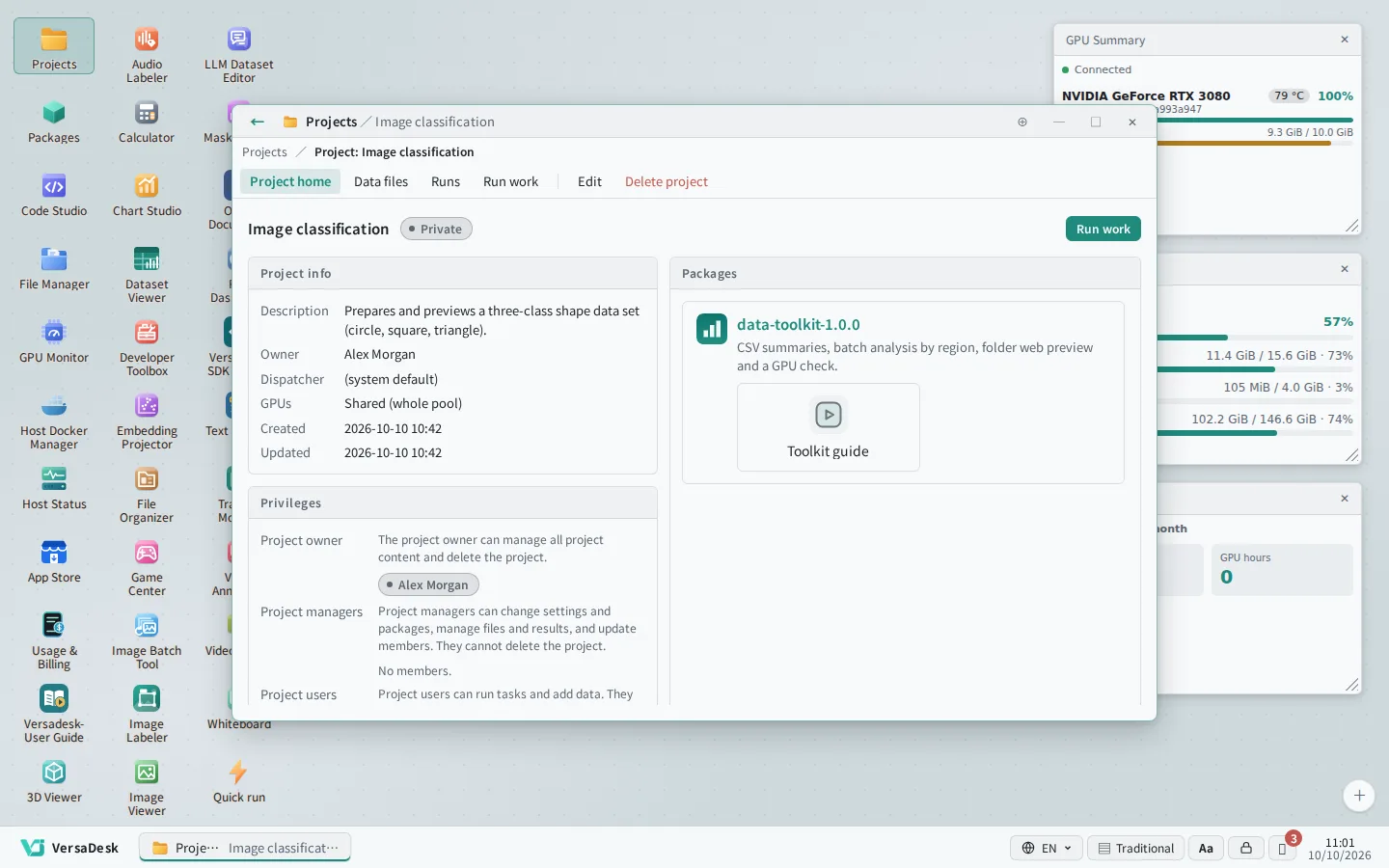
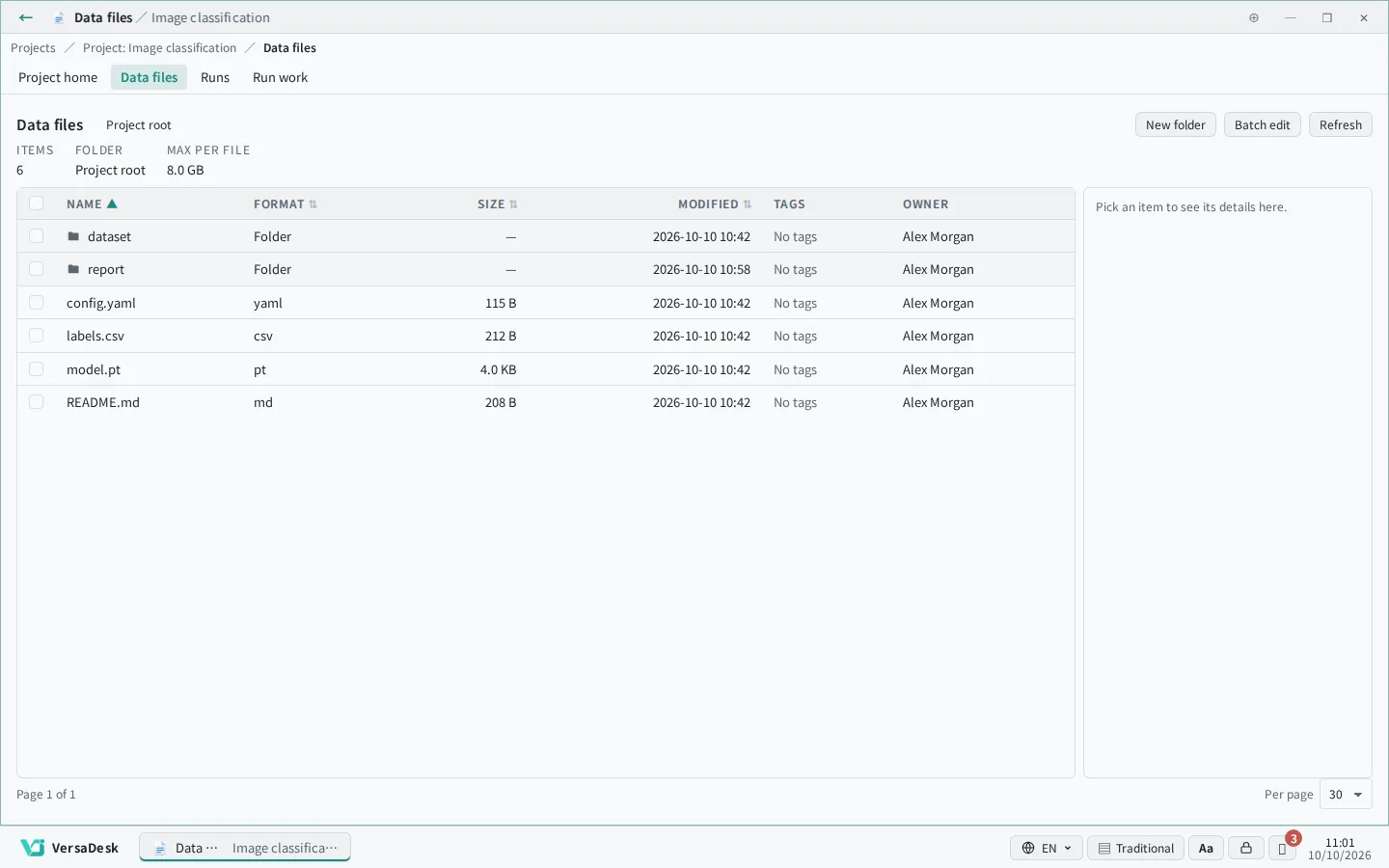
Every project is a separate workspace for its members, data files and results; upload, preview and organise files right in the browser.

  • Members and project roles
  • Folders, tags and double-click to open files
  • Results saved back to the project automatically
Packages and parameter forms

02

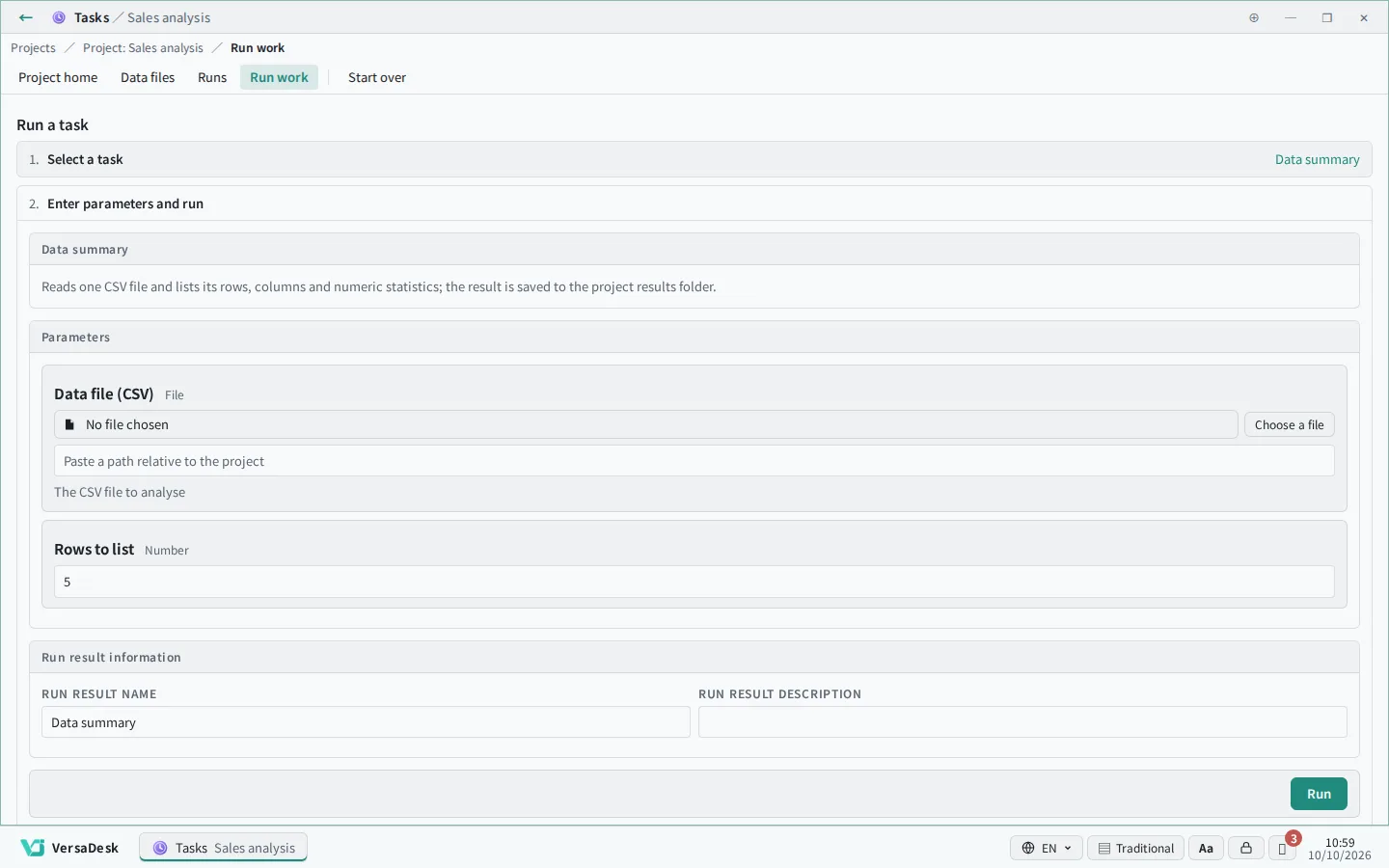
Packages and parameter forms

Turn a complex Runbook into a single button with an auto-generated form and required-field hints; import, export and publish as .vdpkg bundles.

  • Parameter forms generated automatically
  • Required-field hints and default values
  • Import, export and packaging
Runbook

03

Runbook

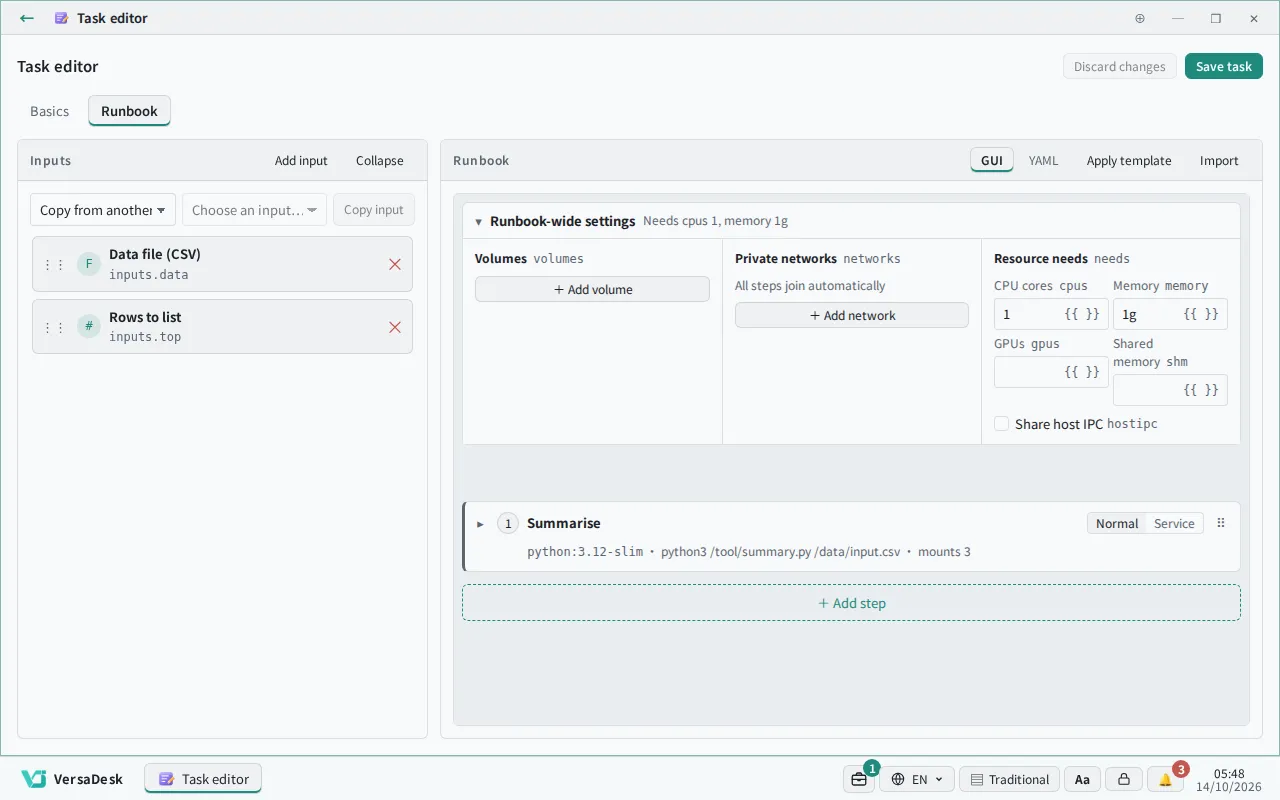
docker-compose-style step YAML with parameter interpolation, data passing between steps and parallel services; one definition runs in any environment.

  • Visual and YAML editing
  • Data passed between steps
  • Batch runs over a list
GPU sharing

04

GPU sharing

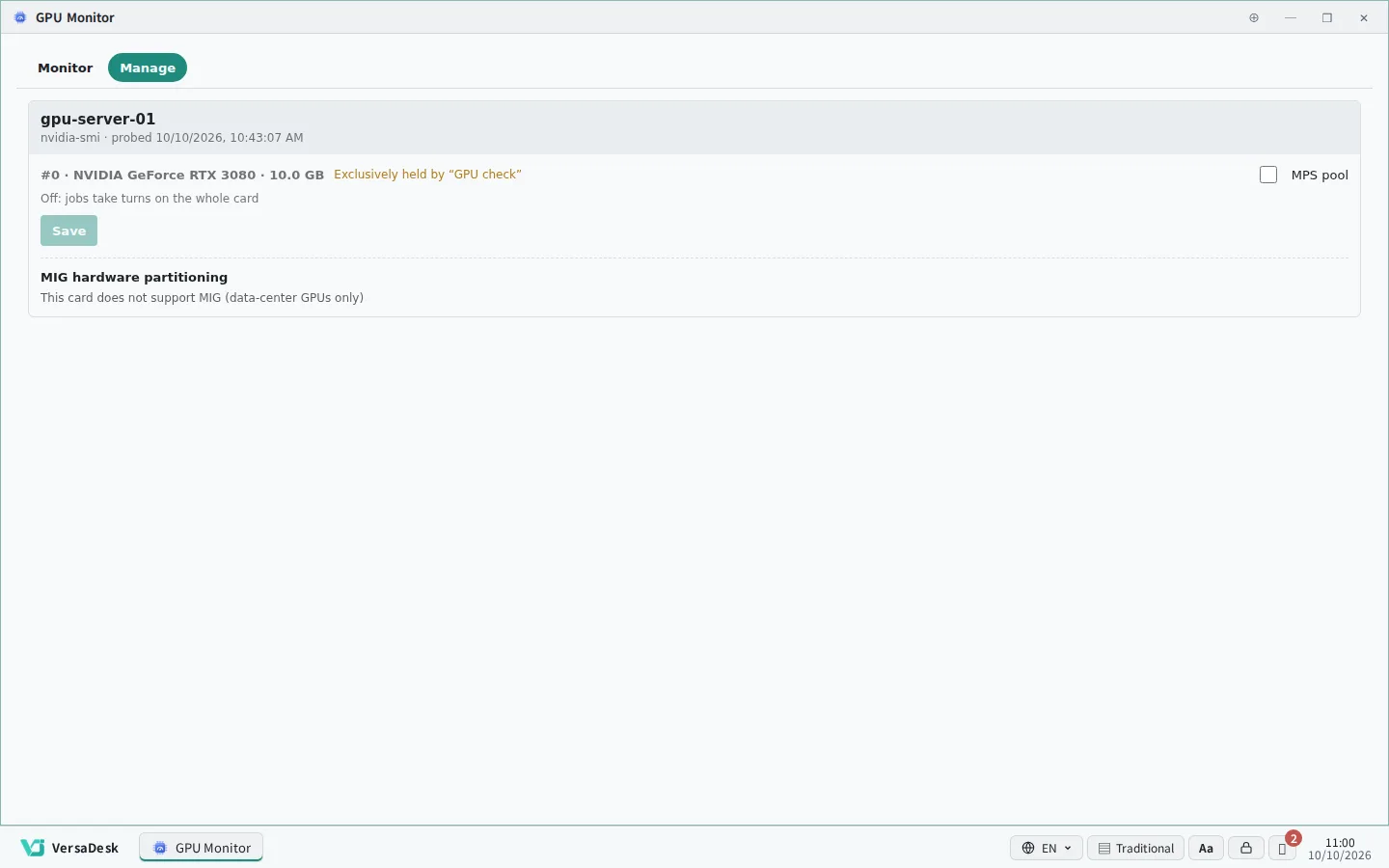
Projects use GPUs exclusively or shared, with MPS multi-process sharing and MIG hardware partitioning; utilisation and temperature are shown in real time.

  • Dedicated or shared GPUs
  • MPS sharing and MIG partitioning
  • Live utilisation and temperature
Runs and results

05

Runs and results

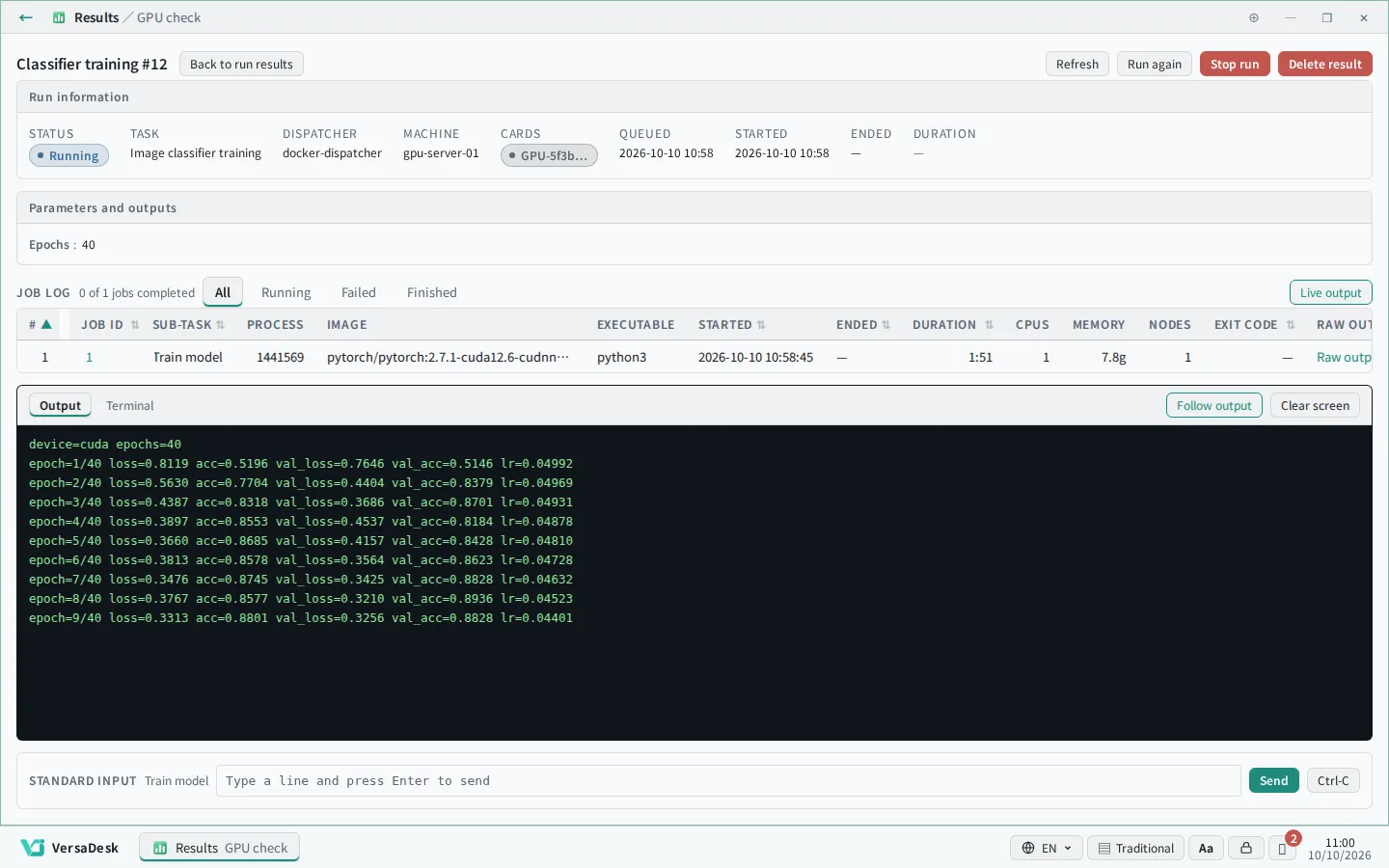
Every run keeps its parameters, status and output log; successful results are saved to the project, and a failed run shows why and can be started again.

  • Live output log
  • Batch runs at a glance
  • Run again with one click
Service proxy

06

Service proxy

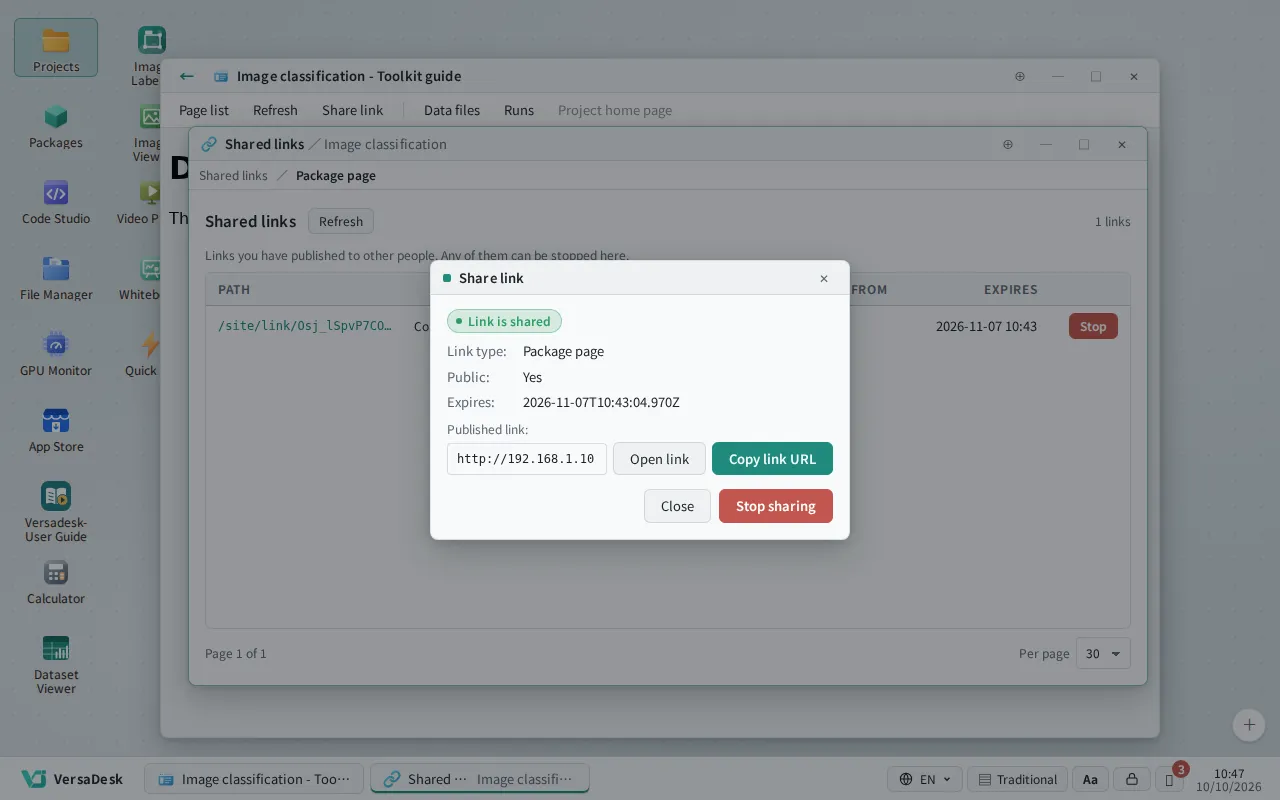
Each container service gets its own subdomain or port with no path changes inside the container; share it with team members through a short link.

  • Reach services by subdomain or port
  • Services open in desktop windows
  • Share links and visibility settings
Desktop multi-window

07

Desktop multi-window

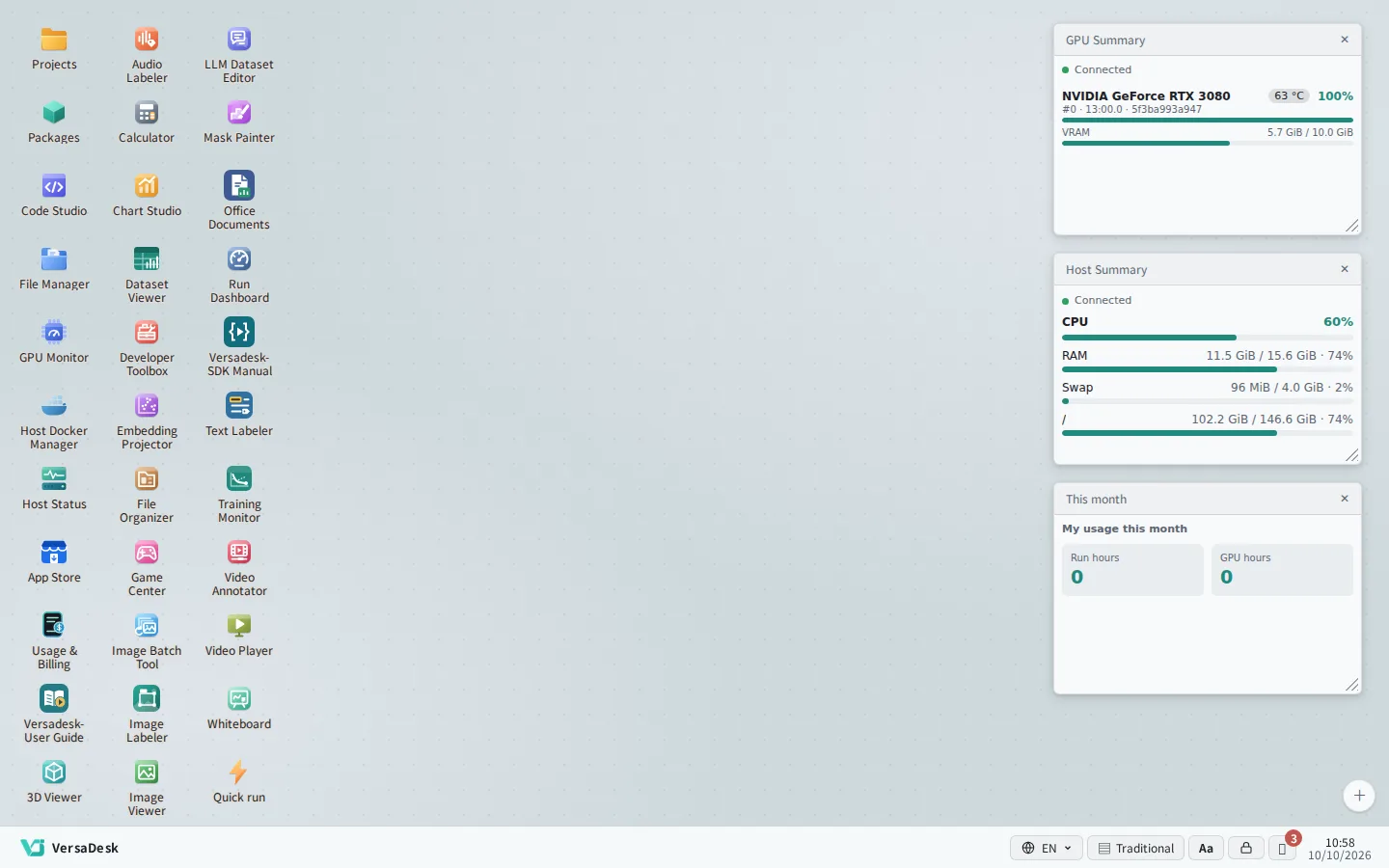
Run Jupyter, TensorBoard and file browsers side by side; window layouts are saved per account and survive a reload; desktop widgets keep monitoring data in view.

  • Layouts saved per account
  • Desktop widgets
  • Start menu with search
Custom pages and SDK

08

Custom pages and SDK

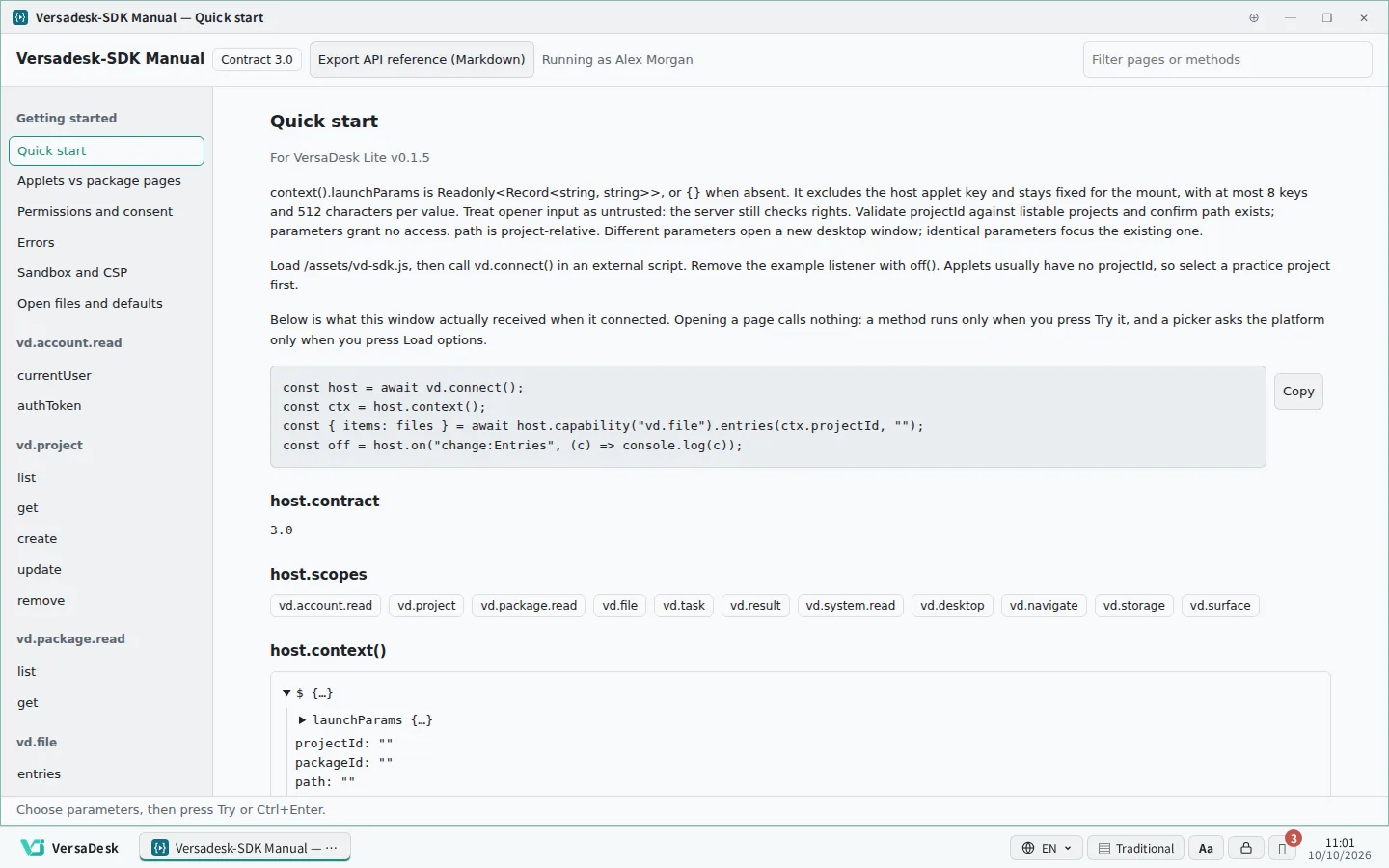
Package pages and task pages, plus the platform's SDK for building dashboards and live monitoring views.

  • Package pages and task pages
  • Applet development kit
  • Interactive SDK manual
Three-tier access control

09

Three-tier access control

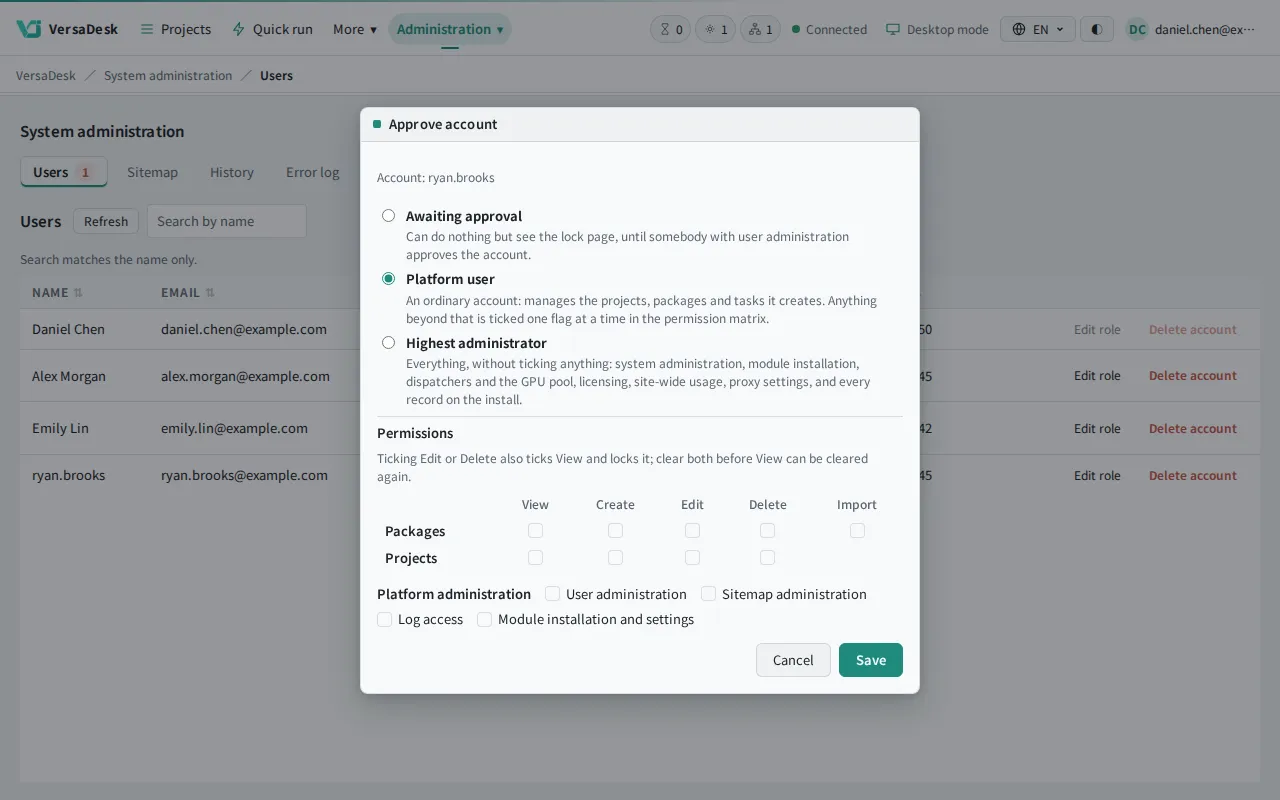
Platform roles, package access lists and three project tiers work independently; new accounts require administrator approval and permissions are granted item by item.

  • New accounts need administrator approval
  • Permissions granted item by item
  • Audit trail
Usage and billing

10

Usage and billing

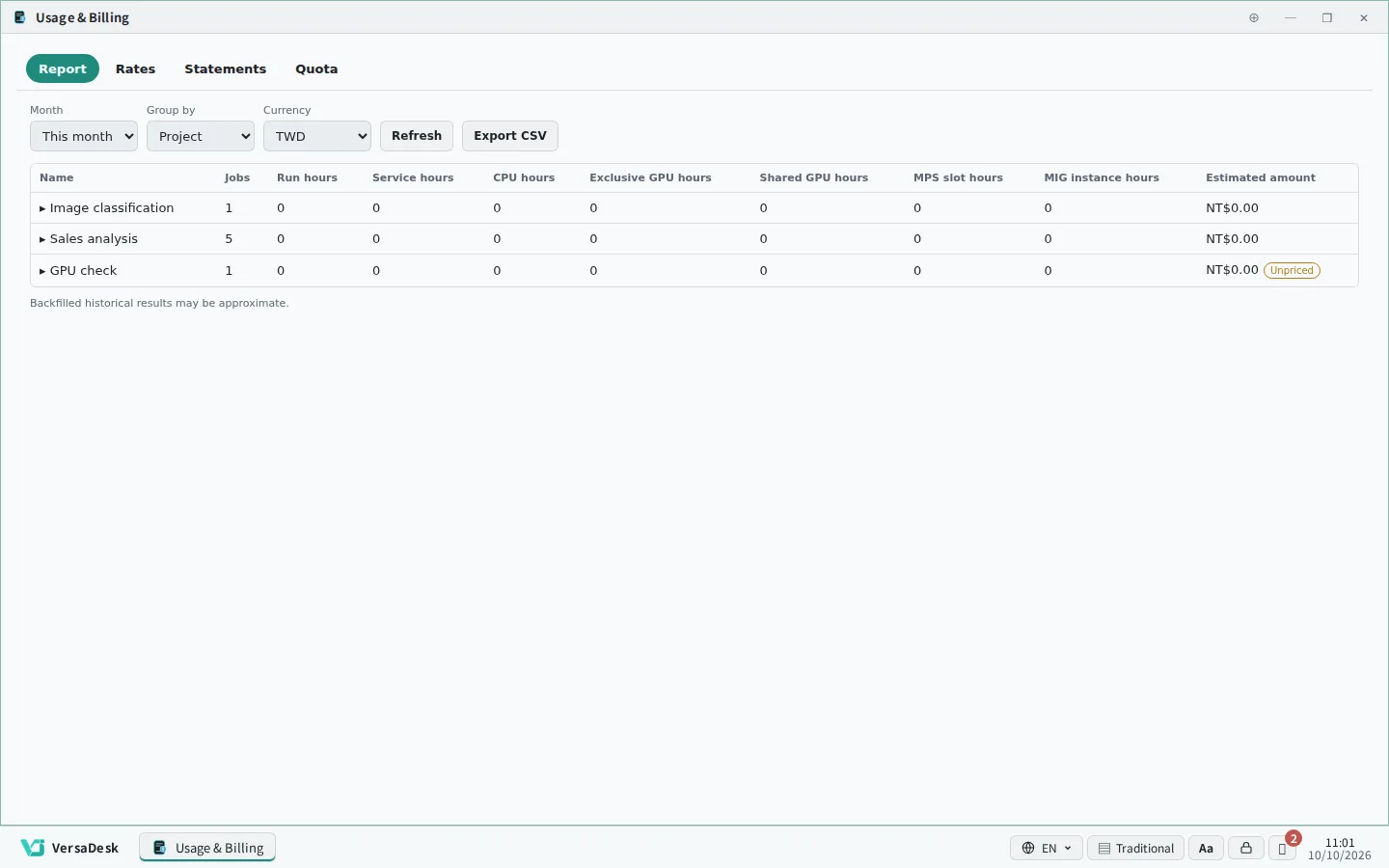
Monthly GPU hours and usage per project; managers can review their projects in full and export reports.

  • Monthly totals per project
  • GPU hours
  • Report export
Maintenance and security

11

Maintenance and security

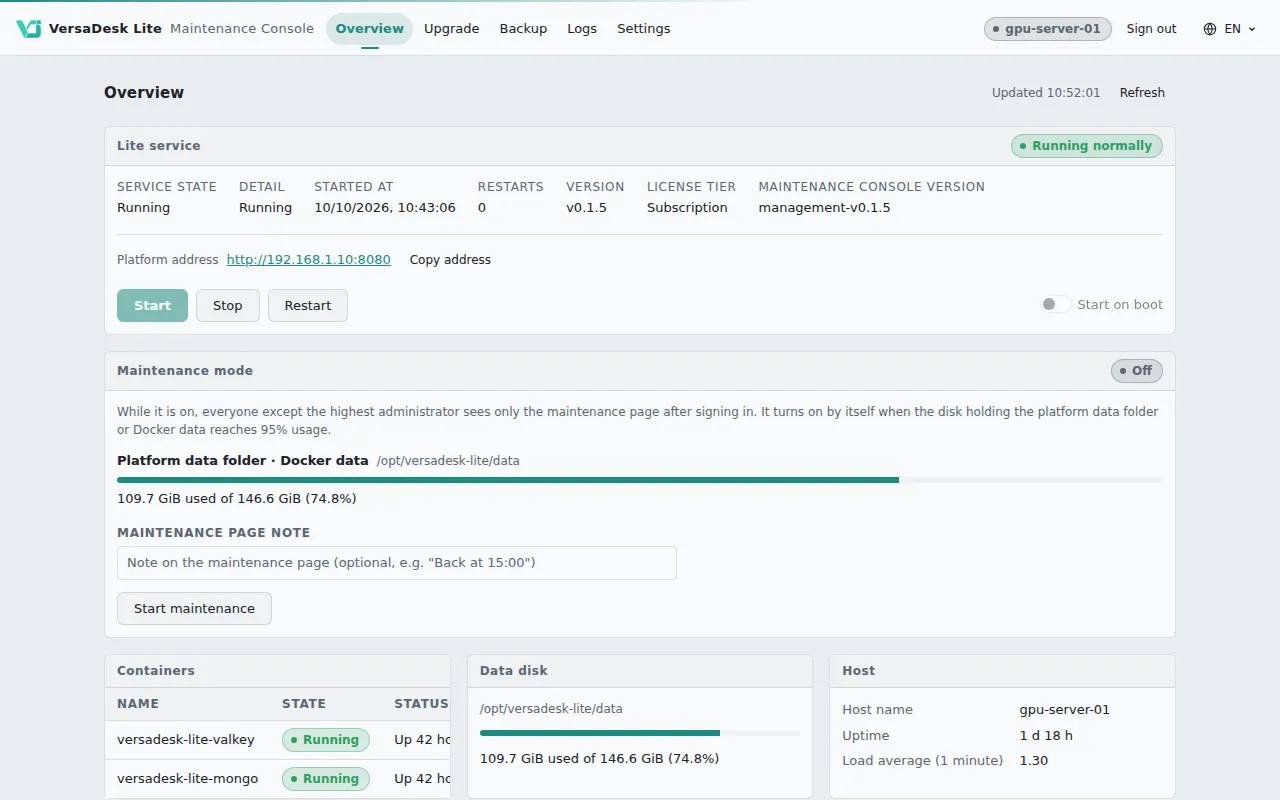
Installed on your own hardware so data stays in-house; the maintenance console brings start and stop, backups, upgrades and logs together; idle desktops lock and sessions time out automatically.

  • Maintenance console
  • Scheduled backups
  • Maintenance-mode notices
Multilingual interface

12

Multilingual interface

The interface is available in Traditional Chinese, English and Japanese, and each user chooses their own; app modules and the manuals come in all three as well.

  • 繁體中文
  • English
  • 日本語
Projects and data

13

Many hosts, one place to manage them

Turn spare servers into job runners from the maintenance console, and the platform sends work to them.

No more logging in to each machine. Check the status, containers, files and terminals of the platform host and every other host from the browser.

Host Status

Live CPU, memory, disk and GPU.

Host Docker Manager

Browse and clean up images and containers.

Host Terminal

Open a shell as an account on that machine.

Host File Manager

Upload, download and organise files.

14

Kubernetes cluster

Build one or connect the cluster you already run; every project gets its own space and quota.

Administrators decide how much CPU, memory and GPU each project may use.

See the full cluster tour

05

UI MODES

Two interfaces, switch as you prefer

ClassicDesktop DesktopClassic

Desktop mode

For everyone

A desktop environment of icons, windows and a taskbar that works like a regular operating system; every service is a window.

  • Windows side by side, no tab switching
  • Layouts saved per account
  • No training needed
Talk to our team

Classic edition

For developers and administrators

A standard web layout with a top command bar and breadcrumb navigation; lists and forms at a glance.

  • Clear list and form views
  • Built-in IDE for packages and Runbooks
  • Designed for developers and administrators

Get started with VersaDesk Lite