APPS
Apps and applets
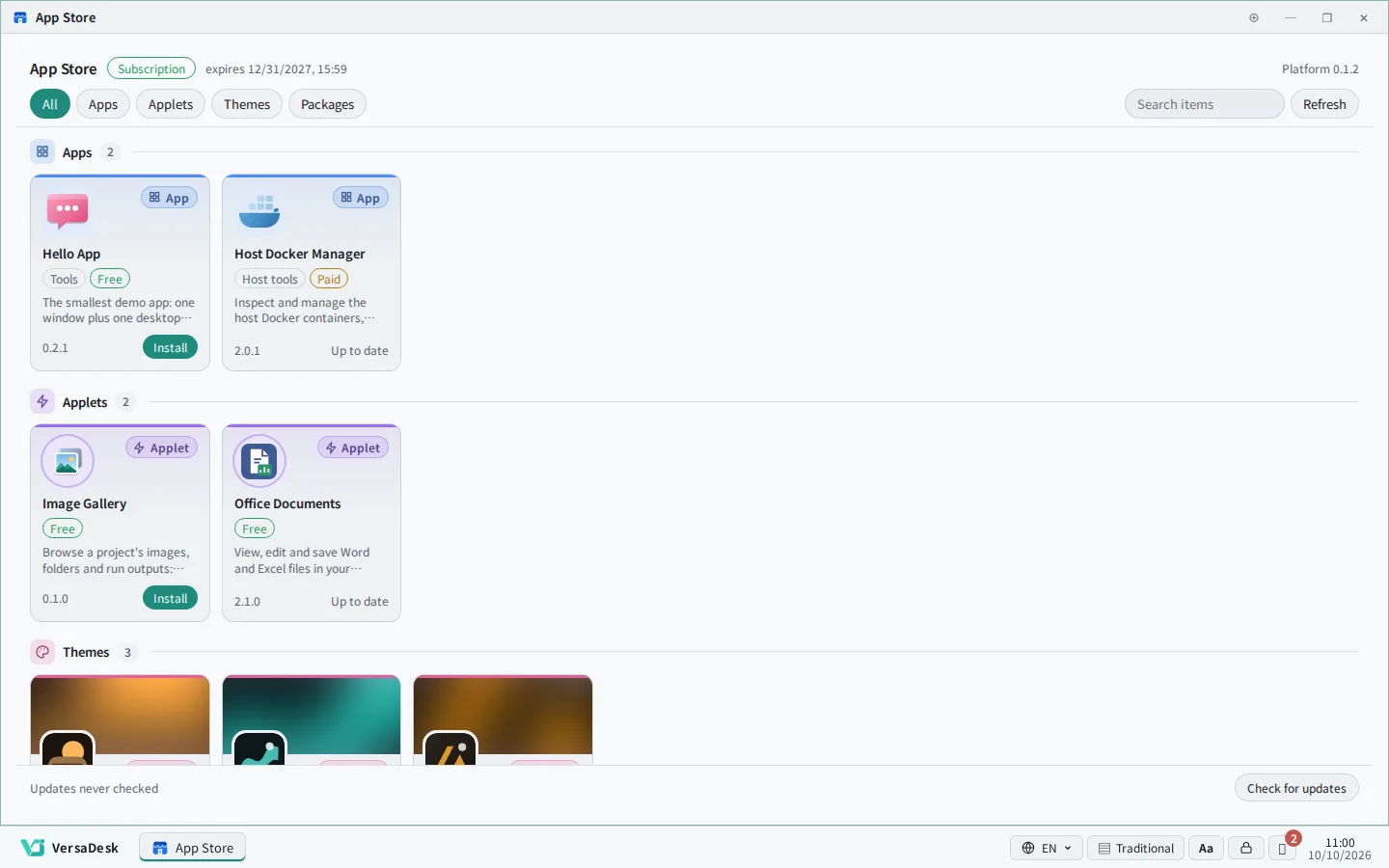
VersaDesk Lite grows through modules: administrators install app modules, applets and themes from the App Store as needed, without interrupting the platform.
Modular by design, installed on demand
Every module is provided by the vendor; installing or removing one never interrupts the platform
-
1 items
Dispatcher
Run the same Runbook on the Docker host or Kubernetes cluster chosen for the project.
Supports: Docker, Kubernetes
-
10 items
App
Applications with a window and a desktop widget, authorised per user. Built-in and vendor apps: file manager, terminal, GPU monitor, host status, host Docker, usage billing.
Provides: windows, desktop widgets, per-user authorisation
-
21 items
Applet
Upload your own web page as a zip and it becomes a desktop application; it runs in a sandbox and reaches data only through the platform's SDK.
Format: zip upload, sandboxed
-
12 items
Theme
Change the colour scheme, typography and icon set with a single theme file to match your corporate identity.
Covers: colours, typography, icon set
Catalogue
Filter by type, category or keyword; select an item to see its description and screen
33 items
-

Audio Labeler
Label audio segments with classes and transcripts on the waveform, split automatically at silences, and export to common subtitle and data formats.
-

Image Labeler
Label project images with boxes and polygons, and export COCO, YOLO or Pascal VOC.
-

LLM Dataset Editor
Prepare fine-tuning data for large language models: edit record by record, check and convert formats, remove duplicates and split training and validation sets.
-

Mask Painter
Paint masks for image segmentation models with brushes, polygons and one-click fill, one colour per class.
-

Text Labeler
Classify text or tag entities, save the labels to the project and export them as JSONL or CSV.
-

Video Annotator
Label actions and events along a video timeline, then extract frames by segment into an image dataset.
-

Chart Studio
Quickly turn project data files into line, bar, pie and other charts, and export them as images.
-

Dataset Viewer
View CSV, TSV and JSON Lines datasets with column statistics and filters, and split them into training, validation and test sets.
-

Embedding Projector
Project embedding vectors into 2D or 3D scatter plots to explore clusters and find nearest neighbours.
-

Run Dashboard
See every run on the platform at a glance — running and queued work, success rates and durations — and view live output or stop a run.
-

Training Monitor
Track loss, accuracy and other metrics live while training runs, and compare up to four runs.
-
Built-in

File Manager
Browse, upload, move and organise project files and folders on the desktop, the same way as in Windows File Explorer; double-click a file to open it in the matching program.
-

3D Viewer
View 3D models and point clouds (OBJ, STL, PLY, glTF and more) in the browser: rotate, zoom, measure and export screenshots.
-

File Organizer
Tidy up project files: see where space goes, rename in bulk, sort into folders by rule and find duplicates.
-

Image Batch Tool
Process a whole batch of images at once — resize, crop, rotate, adjust colours, convert and rename — or generate augmented versions.
-

Image Viewer
View project images with zoom, rotation, thumbnails and slideshows.
-

Video Player
Play videos from project folders with subtitles, playback speed, theatre and full-screen modes, and resume where you left off.
-

Calculator
Standard, scientific and programmer calculators, plus unit conversion and date calculations.
-

Office Documents
View, edit and save Word and Excel files in your projects, and view PowerPoint presentations.
-

PDF Tools
View and search project PDFs, organise pages, add page numbers and watermarks, fill forms, and set or remove passwords.
-

Whiteboard
A whiteboard for teams and classes: drawing, shapes, text and sticky notes, saved to the project automatically for everyone to share.
-

GPU Monitor
Watch NVIDIA GPU usage, memory, temperature and power in real time, with a desktop widget.
-

Host Docker Manager
Review and clean up Docker images, volumes and containers on the host, and start, stop or restart containers. Resources the platform uses are protected, and only administrators can open it by default.
-

Host File Manager
Browse and manage files on the server host. Highest administrator only.
-

Host Status
Monitor the host's CPU, memory, disks, network and temperature in real time, with a desktop widget.
-

Host Terminal
Open a terminal on the host from your browser. Highest administrator only.
-

Usage & Billing
View usage reports, set GPU and CPU rates, and produce monthly project statements.
-

Code Studio
A VS Code-like code editor on the platform: write code, press Run to execute it with a package task in the project, and the results are saved back to the project.
-

Developer Toolbox
Everyday developer tools in one place, such as JSON and YAML conversion, Base64, hashes, timestamps and a regex tester.
-

Versadesk-SDK Manual
The applet developer manual: try each feature with your own account, read sample code, download a starter applet and export the full API reference.
-
Built-in

App Store
Browse and install app modules, applets and themes, and update them when new versions are released.
-
Built-in

Versadesk-User Guide
The platform user guide: the desktop, projects, tasks, sharing and more, explained step by step with real screens, in Chinese, English and Japanese.
-

Game Center
A collection of classic games for a short break, including 2048, Minesweeper, Sudoku and Snake.
Nothing matches these filters
Try a theme
Select a theme to preview it. Once an administrator installs it, each user can apply it in their personal settings.
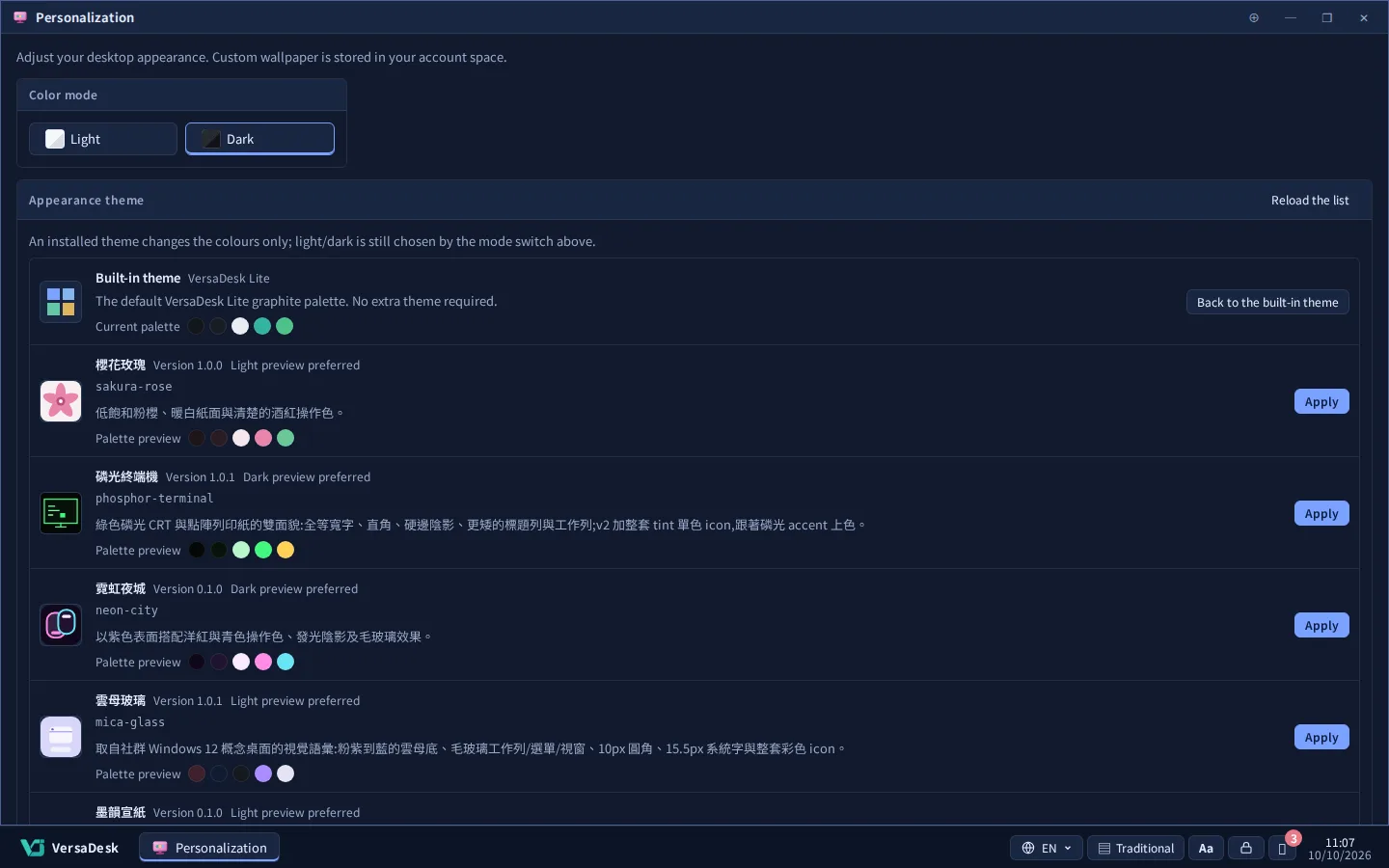
Calm midnight cobalt blues, plus a low-glare light mode.
How to install
Administrators install; users start right away
-
01
An administrator opens the App Store
-
02
Choose an item and install it
-
03
It appears on the desktop and start menu of the users allowed to use it